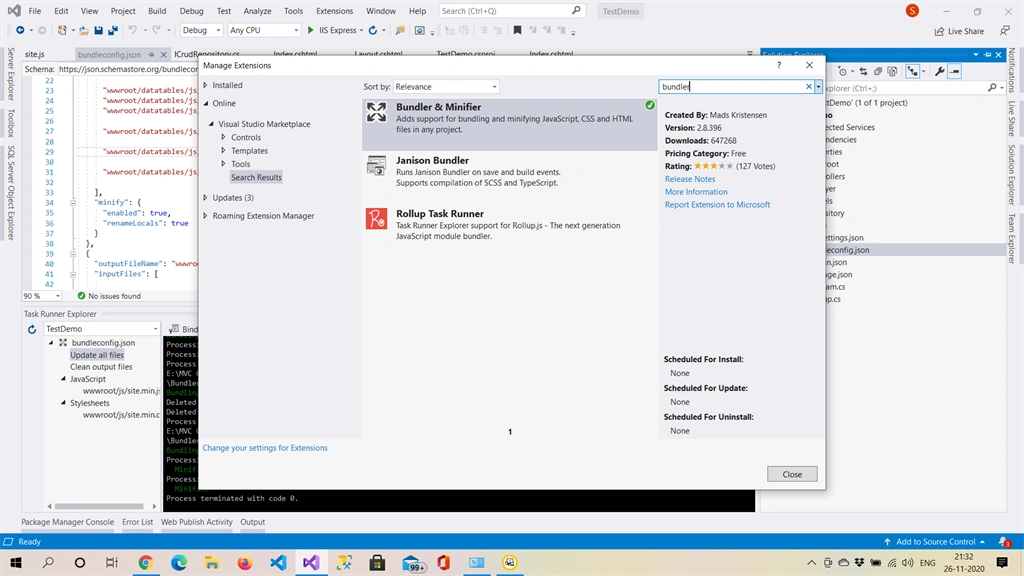
In this post, we'll discuss how to include bundling into our current.NET CORE MVC web application. First, you must click on the extension menu to add the Bundler and Minifier extensions to your project, as seen below.

Please restart Visual Studio after adding an extension to ensure it loads.
Now we will add a bundleconfig.json file in our project root by adding JSON file by choosing the add new items option.
[{
"outputFileName": "wwwroot/js/site.min.js",
"inputFiles": ["wwwroot/lib/jquery/dist/jquery.js", "wwwroot/datatables/js/jquery.dataTables.js", "wwwroot/datatables/js/dataTables.bootstrap.js", "wwwroot/datatables/js/dataTables.bootstrap4.js", "wwwroot/datatables/js/dataTables.dataTables.js", "wwwroot/datatables/js/dataTables.foundation.js", "wwwroot/datatables/js/dataTables.jqueryui.js", "wwwroot/datatables/js/dataTables.material.js", "wwwroot/datatables/js/dataTables.semanticui.js", "wwwroot/datatables/js/dataTables.uikit.js", "wwwroot/datatables/js/datatables-buttons/js/dataTables.buttons.js", "wwwroot/datatables/js/datatables-buttons/js/buttons.colVis.js", "wwwroot/datatables/js/datatables-buttons/js/buttons.flash.js", "wwwroot/datatables/js/datatables-buttons/js/buttons.html5.js", "wwwroot/datatables/js/datatables-buttons/js/buttons.print.js"],
"minify": {
"enabled": true,
"renameLocals": true
}
}, {
"outputFileName": "wwwroot/js/site.min.css",
"inputFiles": ["wwwroot/datatables/css/jquery.dataTables.css", "wwwroot/datatables/css/dataTables.bootstrap.css", "wwwroot/datatables/css/dataTables.bootstrap4.css", "wwwroot/datatables/css/dataTables.foundation.css", "wwwroot/datatables/css/dataTables.jqueryui.css", "wwwroot/datatables/css/dataTables.material.css", "wwwroot/datatables/css/dataTables.semanticui.css", "wwwroot/datatables/css/dataTables.uikit.css", "wwwroot/datatables/css/buttons.dataTables.min.css"],
"minify": {
"enabled": true,
"renameLocals": true
}
}]
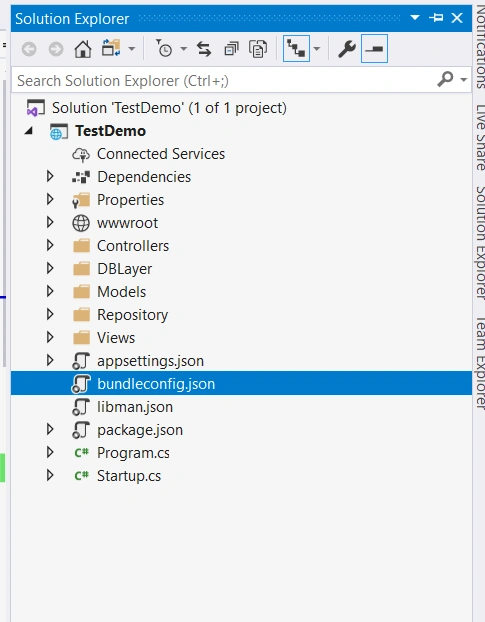
As you have observed there are many files registered here so now we will add all these files to our wwwroot folder by adding client-side library after right-clicking on wwwroot folder.
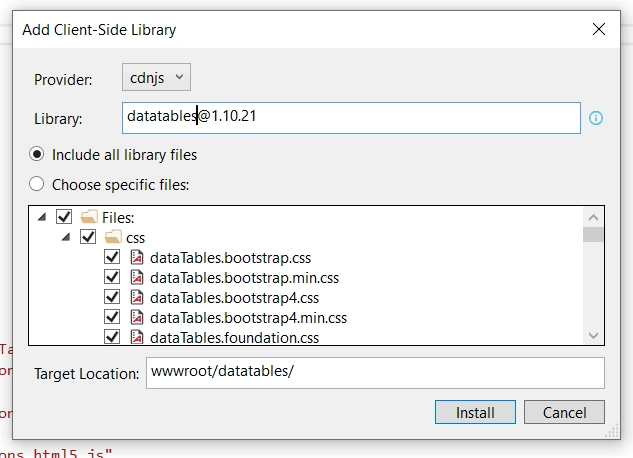
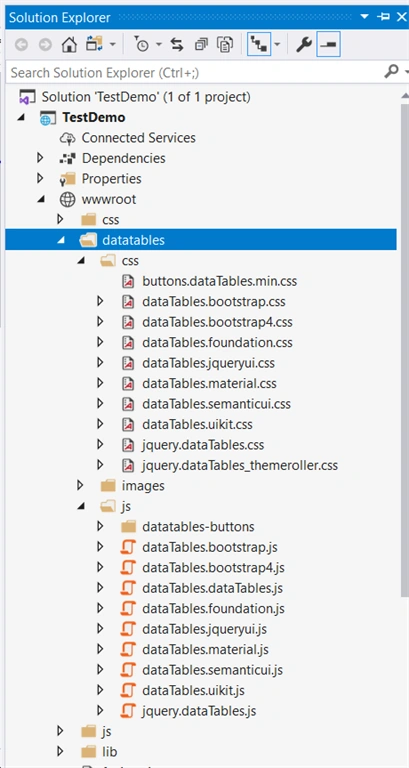
Datatables-buttons folder is added separately by using the same procedure. Now let's minify and make the bundle as one file by following below process shown in screen shot.
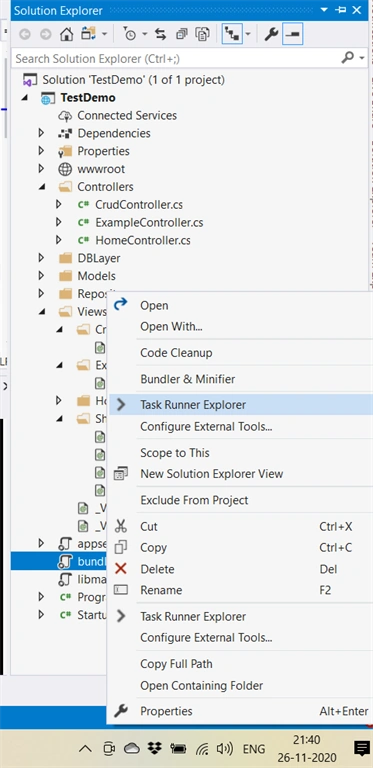
Open task runner explorer by right-clicking on bundleconfig.json.
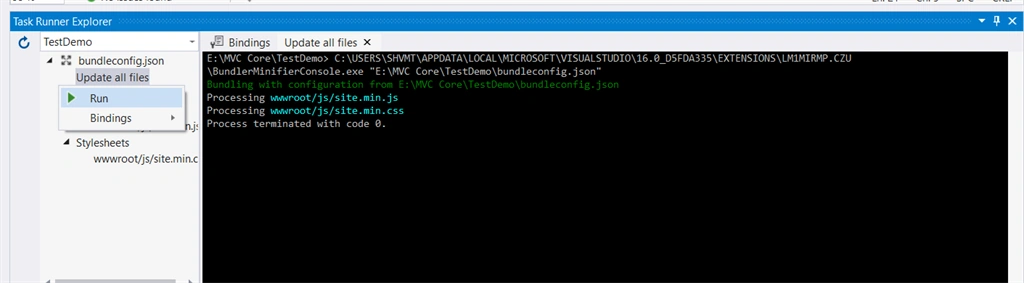
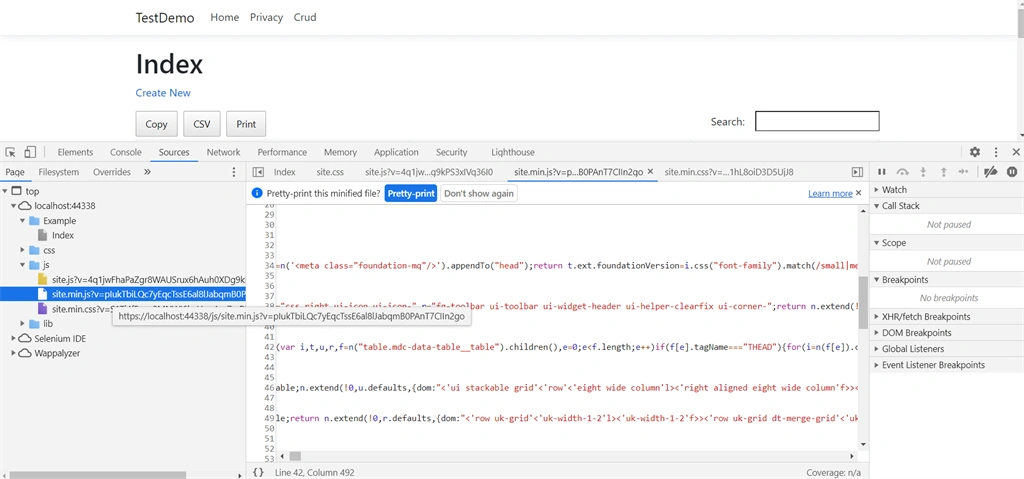
In Task runner right-click or double click on update all files; after doing this your output file mentioned in bundleconfig,json will be created in a mentioned path as shown below.
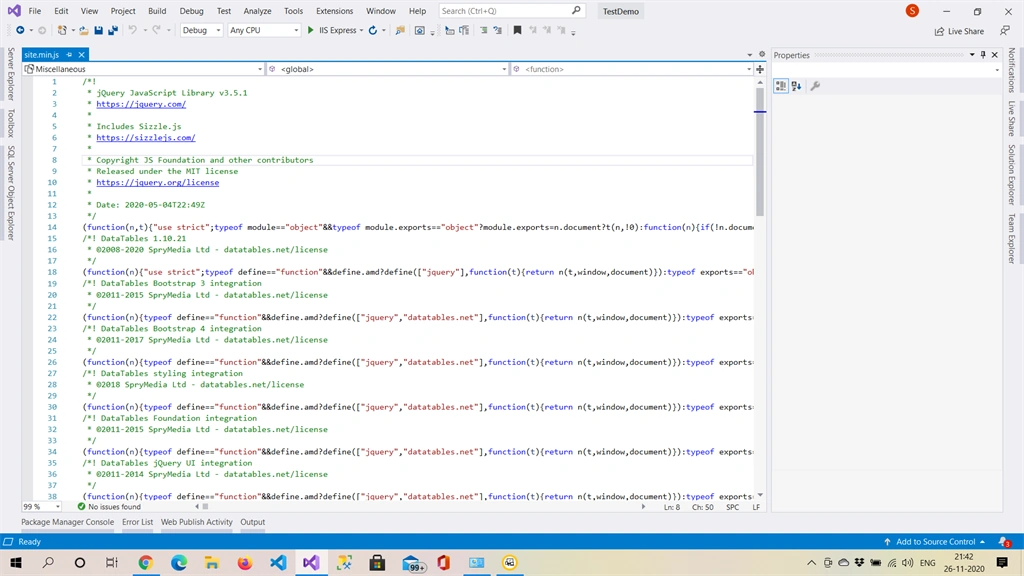
Output will be a file created like this if not please reload your project once.
Add CSS and JS file to your .cshtml page or _layout page.
<script src="~/js/site.min.js" asp-append-version="true"></script>
<link href="~/js/site.min.css" rel="stylesheet" asp-append-version="true" />
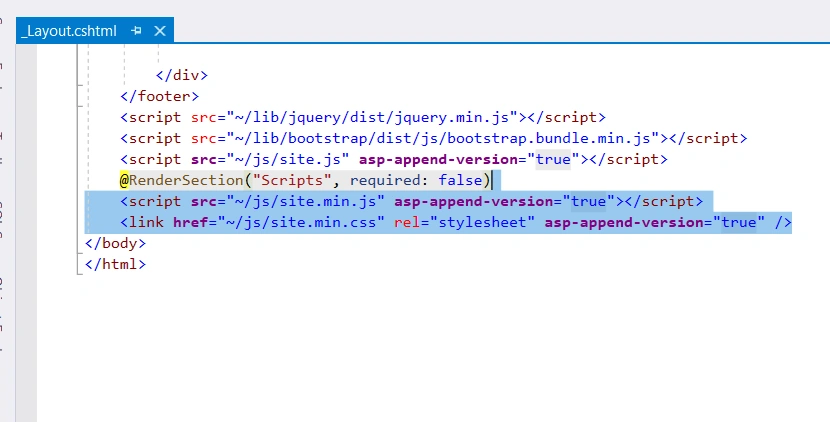
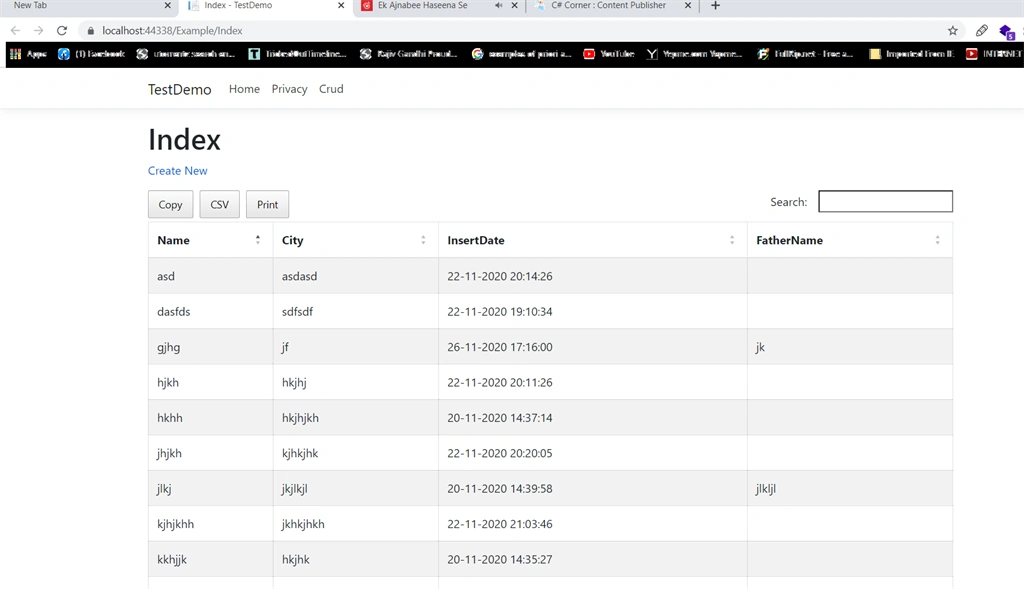
That's it now run your page.
Summary
Bundling and Minification helps us to make our script and CSS minified and use that in a bundle.
Hope this helps, and Happy Coding.