August 28, 2026 13:51 by
 Peter
PeterThe Model, View, and Controller folders are automatically generated when we start a new MVC project.

This structure is typical for small applications, however the single Model, View, and Controller may get cumbersome as your program expands and becomes more sophisticated. so that we may use regions to manage a complicated MVC application. We can build more maintainable code for an application that is neatly divided into modules by using areas.
Thus, start by creating a new, empty MVC project.
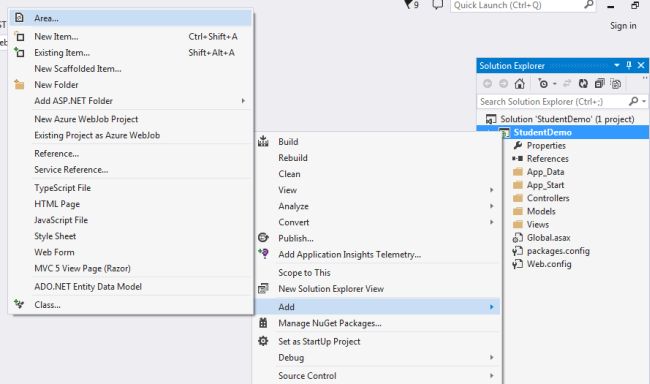
Next, choose the region by performing a right-click on Solution Explorer and selecting Add.
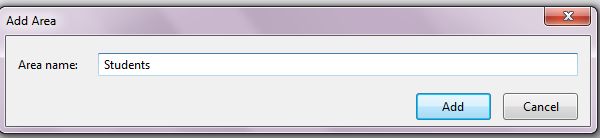
Provide a name.
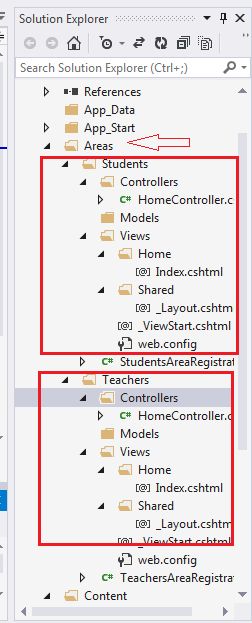
Now add a second Employee area. In your Solution Explorer show your Model, View and Controller in a different student and employee area.
Now add a Home Controller and in the Index action add an Index View for both the student and employee area.
Now run the project. (Ctrl+F5).
For the Teacher area the follwing is the URL localhost/Teachers/Home/Index.
Here Teachers is the area name, Home is the controller and Index is the Action name.
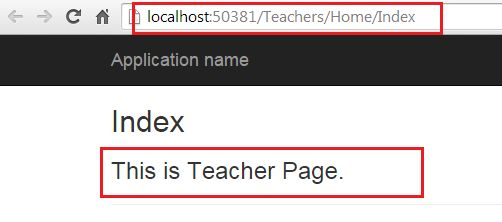
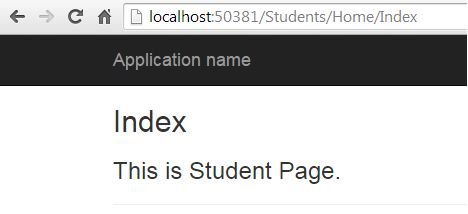
For the Teacher area the follwing is the URL localhost/Students/Home/Index. Here Students is the area name, Home is the controller and Index is the Action name.